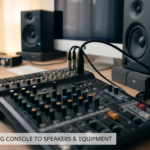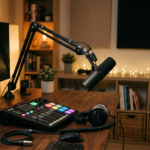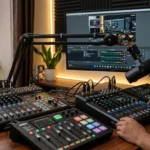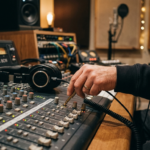
A mixing console is an essential element of any sound system. It enables you to manage multiple sources of sound from a single control location, be they microphones, guitars, keyboards or music players. The first question you are going to ask yourself when starting to buy a mixing desk is: how many channels do I need?
Some consoles have four channels, some 8, 12, 16 or more. So how do you choose? Well, whether you will get good sound or not doesn’t depend on the size of your mixer. It depends on how many channels you need for your setup.
In this tutorial, we’ll learn mixing console channels in words that are simple and help you determine how many channels you need.
What Is a Channel on a Mixing Console?
A channel is an individual input on a mixing desk that allows you to plug in and adjust the sound of an audio source. On most mixing desks, a channel will have a volume and tone adjustment.
For instance, if you hook up a microphone on channel 1 and a keyboard on channel 2, then you can equalise the sound of the two individually. You can choose to increase the volume of the microphone, but not that of the keyboard.
One channel is capable of being assigned to different audio sources, based on the inputs configured for that particular mixer.
Some typical audio sources are:
- Microphones for singers, speakers and announcements
- Guitars and bass guitars
- Keyboards and digital pianos
- Electronic drum kits and drum microphones
- Laptops, phones and music players
How Important Is the Number Of Channels?
Channels refer to the number of available audio sources. If you plan to connect more mics and instruments than your inputs provide, you’ll need to leave one source disconnected to add another.
For example, one solo singer with a mic and backing track would not require as many input channels as a band with multiple singers, guitars, pianos, drums, and so on.
Additional channels are handy if you change things up. Perhaps you might begin with two microphones, but decide to add another singer or an instrument.
In the section below, when looking at features, we’ve listed the number of channels. Having a very high number of channels for use in a home studio can make the mixer more expensive as well as more complicated.
Number of Channels You Need
Different users require different numbers of channels. Here’s an easy-to-use chart to help you determine your requirements.
-
Four-Channel Mixer: For Simple Setups
You may consider a four-channel mixer if there are only a few sources.
It may work well for:
- Solo singers
- Small meetings and presentations
- Simple home audio systems
- Simple announcements
- Small acoustic performances
For example: one microphone, one instrument, and a source of music for playback can be connected. You can assign the other input to any other device, depending on the mixer.
Before purchasing, determine if the connections on the mixer are suitable for your audio gear.
-
Six to Eight Channels: For Small Bands and Home Studios
If you want to connect to multiple audio sources, then you need a six- or eight-channel mixer.
This is a good option for small bands, rehearsal spaces, content creators and home studios.
For example, a small music group may need:
- Two channels for vocal microphones
- A single channel for a guitar
- Two channels for a keyboard in stereo
- One channel for background music
This system may need six inputs, depending on how the sources are wired.
An eight-channel mixer offers some extra space to connect another mic or instrument. It can also be a good choice if you think you’ll need your setup to expand.
-
Twelve to Sixteen Channels: For Larger Music Setups
You might want something with a little more juice-if you’re working with a band, school auditorium, small event venue or worship team.
You will require individual inputs for each vocalist, instrument, drum mic, and playback device.
For instance, you might have multiple microphones to record the vocals and drums, plus inputs for guitar, bass and keyboard. The more inputs your mixer has, the more flexibility and control you’ll have over the mix.
So, if certain instruments or sounds require a different volume and sound from what others need to achieve the overall sound, then this is useful.
Don’t forget to think about how many microphone inputs you require before selecting a mixer in this price range. Not all of the channels on any given mixer will have microphone inputs.
-
Twenty-Four Channels or More: For Professional Use
Big live shows, professional recording studios and crowded performance halls need 24 or more channels.
This equipment relies on a large number of mics, a range of instruments, playback devices and multiple audio signals.
A large digital mixing console allows the sound engineer greater command of each individual source. It also offers advantages like pre-set values, onboard signal processing and customizable routing.
A large mixer isn’t a must-have for every professional user, though. The individual application is a factor in selecting the most appropriate console.
What to look for in a mixing console
The number of channels is significant but shouldn’t be your only consideration. You should also consider:
Types of Connections
Traditional mixing consoles usually have XLR inputs for microphones and 6.35 mm jacks for instruments and line inputs.
Number of channels that support a mic
Just because a mixer is marketed as having 12 channels doesn’t necessarily mean it has 12 mic preamps.
Effects
Effects such as delay or reverb are more useful for live vocals than mixing. Only channels and channels with effects are worth looking at in detail.
Record and stream
Many consoles feature USB connectivity. Review the capabilities before you settle on a model.
Extra Space
As well as the current number of channels that you have, consider and allocate 2-4 extra as a hedge against any possible new sources in the future.
Enhance Your Sound with Equipment from Amrit Music
Choosing a mixer is simple when you understand how much sound you want to set up. After understanding your needs, you also need to find equipment that matches your configuration, whether you’re creating a home studio, setting up a sound system or preparing for live shows.
Amrit Music is a helpful place to browse if you are shopping for music and audio equipment. Visit amritmusic.com to see the current inventory of available products and find equipment to match your needs.
Mistakes to Avoid When Picking Channels
Making even a few simple errors can make it more difficult to select the right mixer.
Focusing only on microphone channels: Remember to consider instruments, media devices and other audio feeds that require channels.
Overlooking the inputs on stereo sources: For instance, if you connect a music device or a keyboard, it may need a second input path to connect through to the rest of your system.
Go for just today’s setup: Extra channels today means you won’t need to upgrade your mixer too early if you’re planning on expanding it in the future.
Overdoing the number of channels: Rather, consider the quality of the inputs, the number of effects, the variety of outputs and the user-friendliness of the interface.
Overlooking your monitor requirements: You need to check out the auxiliary outputs along with input channels if your performers want to use monitors.
Conclusion
All you need to know about mixing console channels. Mixing console channels aren’t too difficult to get your head around once you understand what they do. Any channel is used to take any audio source and give you control over it, whether it’s the volume of microphones, instruments or music.
Before purchasing, count how many audio sources you will use simultaneously. Consider input connections, stereo and outputs and leave some space for newer equipment.
Additionally, check out Amrit Music when shopping for musical equipment to augment your setup. After all, there is no better mixing desk to be using than the one that you require to use to manage your sound comfortably.
Frequently Asked Questions
What does the number of channels on a mixing console mean?
Channel count is how many input channels are available to connect and control audio sources. The actual number of microphone inputs may be less than the channel count.
How many channels do I need for a home studio?
A four- to eight-channel mixer might be good enough if you are operating a small home studio. For more than two instruments and microphones, you’ll need a mixer with more channels.
What size mixer do I need for a small band?
An 8-channel mixer is suitable for a small band with a couple of mics and instruments.
Do 2 stereo instruments need 2 channels?
For a stereo instrument, 1 stereo input channel, or 2 mono channels may be required depending on your mixer’s specifications.
Is it better to get a mixer with more channels?
Yes, especially when you anticipate the future addition of microphones and instruments. Having two or four additional channels on hand gives you useful options for expansion.
Are all the microphones plugged into the same mixing console?
You can certainly plug a mic and a guitar into the same mixing console with decent inputs.
Where can I buy a mixer and other audio gear?
Visit Amrit Music to view available music and audio gear. Check the product details, input options and features to locate suitable equipment.